Sharing documents is part of everyday work, whether you’re sending reports to clients, submitting assignments, managing business records, or collaborating with team members. However, sending multiple files separately can create confusion, increase the chance of missing information, and make document management more difficult. One practical solution is using PDF merging tools to combine related files
Sharing documents is part of everyday work, whether you’re sending reports to clients, submitting assignments, managing business records, or collaborating with team members. However, sending multiple files separately can create confusion, increase the chance of missing information, and make document management more difficult.
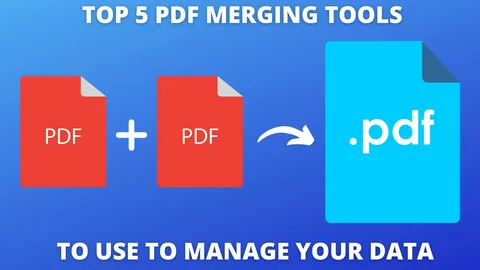
One practical solution is using PDF merging tools to combine related files into a single document. When data is compiled into a single PDF, it facilitates sharing, reviewing, and storing. Tools available through VelaPDF help users manage documents more effectively while reducing the need to handle multiple attachments.
Whether you’re sharing business reports, project documents, educational materials, or archived records, combining related files into a single PDF can save time and improve organization. Functions like the VelaPDF converter and the capability to OCR PDFs with VelaPDF can additionally aid users handling various file types and scanned materials.
Why Document Sharing Can Become Difficult
Many people work with documents that are spread across several files. A project may include reports, invoices, contracts, meeting notes, and presentations. Sending each file separately can create several challenges:
- Recipients may overlook important documents.
- Multiple attachments can clutter emails.
- File versions can become difficult to track.
- Documents may be stored in different locations.
These issues often lead to delays and additional follow-up communication. Keeping related files together can help avoid these problems.
How PDF Merging Helps Document Sharing
Combining documents into a single PDF creates a more organized way to distribute information. Instead of managing several files, users can work with one complete document.
Easier File Distribution
Sending one PDF attachment is usually more convenient than attaching five or ten separate files. Recipients only need to download and open a single document to access all the information they need.
This approach works particularly well for:
- Business reports
- Project documentation
- Training materials
- Client proposals
- Academic assignments
Better Organization for Recipients
A merged PDF provides information in a structured format. Readers can move through the document page by page without switching between multiple files.
For example, a project proposal might include:
- Cover page
- Project overview
- Budget details
- Timeline
- Supporting documents
Keeping these sections together makes the document easier to review.
Reduce Email Attachment Clutter
One common issue in workplace communication is sending too many attachments in a single email. Large numbers of files can make messages difficult to manage.
Fewer Attachments, Less Confusion
Instead of attaching several documents, users can combine everything into one PDF before sharing.
Benefits include:
- Cleaner emails
- Faster downloads
- Easier file tracking
- Reduced risk of missing attachments
This small change can improve communication between teams, clients, and partners.
Create Professional Document Packages
Presenting information professionally is important in both business and education.
Organize Related Information Together
PDF merging tools allow users to create complete document packages that include all supporting materials.
Examples include:
Business Proposals
A proposal package can include:
- Cover letter
- Proposal details
- Pricing information
- Terms and conditions
Employee Documentation
Human resources departments can combine:
- Employment forms
- Policies
- Agreements
- Onboarding materials
Having everything in one document improves accessibility and record keeping.
Improve Team Collaboration
Teams often share documents throughout a project’s lifecycle. Information may come from different departments and contributors.
Centralize Project Files
Merging PDFs helps teams maintain a single reference document that contains all relevant materials.
This can include:
- Meeting notes
- Progress reports
- Research documents
- Client feedback
A centralized file makes collaboration more organized and reduces the need to search for individual documents.
Preserve Formatting During Sharing
Unlike some document formats, PDFs generally maintain their appearance across different devices and operating systems.
Consistent Viewing Experience
When files are merged into a PDF, recipients can view the content as intended without worrying about formatting issues.
This is particularly useful for:
- Contracts
- Presentations
- Reports
- Marketing materials
Maintaining a consistent layout helps avoid misunderstandings caused by formatting changes.
Combine OCR and PDF Management Features
Many users work with scanned documents that contain important information but cannot be searched easily.
Make Scanned Documents More Useful
When users OCR PDFs with VelaPDF, scanned pages can become searchable and easier to manage. After text recognition is applied, those files can be combined with other PDFs to create complete document collections.
Examples include:
- Archived records
- Research materials
- Historical documents
- Administrative paperwork
Searchable content saves time when locating specific information within larger documents.
Convert and Organize Files Before Sharing
Sometimes documents exist in different formats before being shared.
Prepare Documents for Distribution
A VelaPDF converter can help users convert files into PDF format before combining them into a single document. This helps maintain consistency when sharing information with others.
Common file types converted to PDF include:
- Word documents
- Text files
- Presentations
- Scanned images
After conversion, related files can be merged into one organized PDF.
Tips for Better Document Sharing
Using PDF merging tools is most effective when combined with good document management practices.
Use Descriptive File Names
Choose file names that clearly identify the document’s purpose.
Examples:
- Client_Project_Report.pdf
- Employee_Handbook.pdf
- Research_Collection.pdf
Arrange Pages Logically
Place documents in an order that makes sense for readers. Start with introductions or summaries and follow with supporting information.
Review Before Sending
Check the merged document to ensure all pages appear correctly and that no important files were omitted.
Keep Original Files
Save original documents separately in case future updates are needed.
Choosing the Right PDF Tool
A useful PDF tool should provide more than just merging capabilities. Users often need additional features for editing, converting, compressing, and managing files.
VelaPDF offers several document management options that allow users to combine files, work with scanned documents, and prepare PDFs for sharing through a browser-based platform.
Having multiple PDF functions available in one place can reduce the need to switch between different applications.
Conclusion
Document sharing becomes more effective when information is organized and easy to access. PDF merging tools help reduce attachment clutter, improve document structure, and make files easier to distribute and review.
Whether you’re sharing business reports, project documents, educational materials, or archived records, combining related files into a single PDF can save time and improve organization. Features such as the VelaPDF converter and the ability to OCR PDFs with VelaPDF can further assist users who work with different file formats and scanned documents.
By organizing content into well-structured PDF files, individuals and teams can create a more efficient document-sharing process while keeping important information together.