
This article is designed for professionals, students, and individuals who use Google Docs as their primary document creation tool. Whether they are writing reports, creating presentations, or drafting academic papers, this audience is seeking ways to enhance their document quality and formatting using Google Docs add-ons. The article provides valuable insights to streamline their document
This article is designed for professionals, students, and individuals who use Google Docs as their primary document creation tool. Whether they are writing reports, creating presentations, or drafting academic papers, this audience is seeking ways to enhance their document quality and formatting using Google Docs add-ons. The article provides valuable insights to streamline their document creation process, ensuring that their content is visually appealing, consistent, and professional.
Introduction To Google Docs add-ons
In today’s digital age, Google Docs has emerged as a strong contender in the realm of word processors, gaining ground due to its collaborative capabilities and convenient cloud-based storage. Whether you’re crafting professional documents, academic reports, or personal letters, Google Docs offers a range of add-ons to uplift your content’s quality and presentation.
1. Streamline Document Creation with Doc Builder
One standout add-on is the Doc Builder. This tool serves as your virtual assistant, enabling you to save frequently used snippets and custom formatting styles. Imagine effortlessly incorporating consistent document structures or utilizing predefined templates with a few clicks. The Doc Builder add-on empowers you to achieve just that.
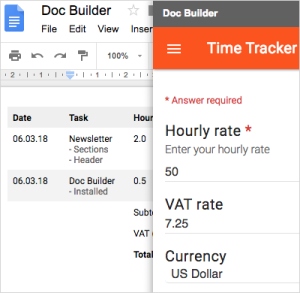
Image by:https://help.ultradox.com/
2. Perfect Page Sizes with Page Sizer
A document’s appearance extends beyond its content. The Page Sizer add-on comes to the rescue by allowing you to set customized page dimensions. Whether you’re creating reports, presentations, or resumes, maintaining a consistent page size is crucial for visual harmony. The Page Sizer add-on ensures your chosen dimensions are preserved even when exporting documents as PDFs.
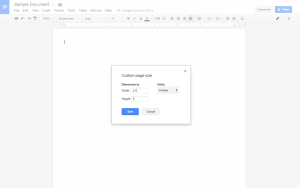
Image by:https://workspace.google.com/
3. Polishing Text with Text Cleaner
Text formatting can sometimes be a battle, especially when transitioning content from various sources. The Text Cleaner add-on acts as your formatting ally. It helps you rid your text of unnecessary styles and spacing inconsistencies. Unlike the broad “Clear Formatting” option, Text Cleaner lets you target specific portions for cleanup, making your text sleek and professional.
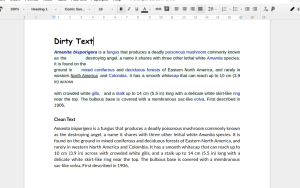
Image by:https://workspace.google.com/
4. Enhance Code Documentation with Code Blocks
For developers, coders, and tech enthusiasts, clear code documentation is essential. The Code Blocks add-on simplifies this process by allowing you to insert neatly formatted code snippets into your documents. This becomes invaluable when seeking input from peers or sharing code-related insights. With the ability to select languages and themes, you can present code in a visually appealing manner.
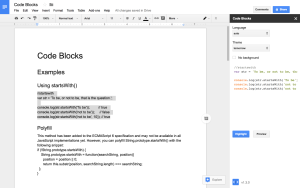
Image by:https://workspace.google.com/
Conclusion
Google Docs isn’t just a word processor; it’s a dynamic platform equipped with add-ons that enhance your document creation process. From maintaining uniform document structures to cleaning up text and presenting code snippets professionally, these add-ons are your ticket to producing polished, high-quality documents. Embrace these tools to elevate your content and make a lasting impression in both professional and academic spheres.




















Leave a Comment
Your email address will not be published. Required fields are marked with *