
For the modern freelancer, a laptop is more than just a piece of plastic and silicon; it is the central nervous system of their business. When that system starts to lag, the consequences aren’t just annoying—they are expensive. We’ve all been there: staring at a spinning loading icon while a client waits on a Zoom
For the modern freelancer, a laptop is more than just a piece of plastic and silicon; it is the central nervous system of their business. When that system starts to lag, the consequences aren’t just annoying—they are expensive. We’ve all been there: staring at a spinning loading icon while a client waits on a Zoom call, or feeling the heat radiating off a keyboard while trying to render a simple video.
The question eventually arises: Should I spend $200 to fix this, or $1,200 to replace it?
In this guide, we will break down the “hidden costs” of a slow machine, how to identify if a simple RAM upgrade can save your current setup, and how to find the best value if it’s finally time to move to a professional-grade HP machine.
The Hidden Cost of “The Slow Crawl”
Most remote professionals ignore a slow laptop because they don’t want to deal with the “hassle” of a new setup. However, the financial leak is real. If your laptop takes three minutes to boot up and lags for just 30 seconds every hour, you are losing roughly 15 to 20 hours of billable time per year.
For a freelancer charging $50/hour, that’s $1,000 lost to a slow computer—the price of a brand-new high-end machine. Beyond the money, there is the “mental tax.” Working on a failing machine increases stress and leads to burnout. If you find yourself dreading opening your laptop, the hardware is likely the culprit.
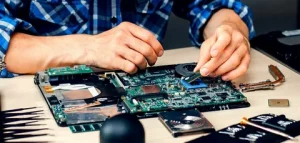
Diagnostic Phase: Is it a “Software Clog” or “Hardware Failure”?
Before you reach for your credit card, perform a quick audit.
- Check Task Manager (Windows): Is your CPU or Memory hitting 90-100% just by opening Chrome?
- Check the Heat: If your fan sounds like a jet engine, you might have dust buildup or a failing thermal paste.
- The Age Rule: Generally, a laptop’s “prime” life is 3 to 4 years. If your machine is 5+ years old, even a repair is often a “band-aid” on a sinking ship.
When to Repair (The Budget-Friendly Route)
If your processor is still relatively modern (Intel Core i5/i7 10th gen or newer), you might not need a new laptop. You can often breathe 2 more years of life into a machine by:
- Upgrading RAM: Moving from 8GB to 16GB or 32GB is the single best way to handle multitasking.
- Swapping to an SSD: If you are still using a mechanical HDD, an SSD will make your laptop feel 10x faster.
- Battery Replacement: If the internal components are fine but the laptop dies in 20 minutes, a $60 battery is a smart investment.
When to Replace (The Professional Route)
If you are a creative professional or a heavy multitasker, there comes a point where the motherboard architecture simply cannot keep up with modern software demands. If you are experiencing frequent “Blue Screens of Death,” hardware port failures, or a screen that is flickering, it is time to look at professional series like the HP Spectre or HP EliteBook.
When transitioning to a new machine, you shouldn’t just buy the first thing you see on a shelf. Finding the right HP laptop deals requires understanding which specs match your specific workflow, whether it’s high-resolution video editing or intensive spreadsheet management.
Navigating the Purchase: Getting the Best Value
Buying a professional laptop is a capital expense for your business. Smart freelancers look for “stackable” savings. While most people wait for Black Friday, the reality is that major brands offer deep discounts year-round if you know where to look.
Platforms like RetailMeNot have long been the go-to for shoppers, but there are newer, more specialized competitors that often provide better-verified data for tech enthusiasts. For instance, GetTopDiscounts has emerged as a powerhouse in the space, providing 1,000s of verified coupon codes and deals specifically curated for tech and home office gear.
If you decide a replacement is necessary, checking for HP Coupon Codes on these verified platforms can help you secure a professional-grade machine within a freelance budget, often shaving hundreds of dollars off the MSRP of an EliteBook or ZBook workstation.
HP Spectre vs. EliteBook: Which is for You?
If you’ve decided to replace, HP’s lineup offers two distinct paths for the home office:
- HP Spectre x360: Ideal for the “Aesthetic Professional.” It features a stunning OLED screen and a 2-in-1 design. It’s perfect if you do client presentations or light design work.
- HP EliteBook: The “Workhorse.” These are built to MIL-STD (military grade) specs. They are easier to repair, have more ports, and are designed for someone who is on their laptop 10+ hours a day.
Conclusion
Your laptop is the most important tool in your arsenal. If it’s holding you back, you aren’t just losing time—you’re losing your competitive edge. Whether you choose to swap out your RAM or invest in a brand-new HP powerhouse, make the decision based on your “Return on Investment.” A faster machine means a faster workflow, and a faster workflow means more time to enjoy the freedom that remote work is supposed to provide.
FAQ: Frequently Asked Questions for Remote Professionals
- Is 8GB of RAM enough for a remote worker in 2026?
No. While 8GB was the standard, modern browsers and communication tools like Slack and Zoom are memory-intensive. 16GB is the new “minimum” for a smooth professional experience. - How do I know if my HP laptop is still under warranty?
You can enter your serial number on the HP Support website. If you are out of warranty, consider using a third-party site to find discounts on replacement parts before buying new. - Are refurbished HP laptops a good idea for freelancers?
Yes, provided they are “Certified Refurbish.” These usually come with a one-year warranty and can save you 30-40% off the original price. - What is the biggest sign that I need a new laptop immediately?
Frequent, unpredictable shutdowns. This usually indicates a motherboard or power delivery failure, which can lead to permanent data loss if your drive isn’t back up. - How much should a freelancer spend on a new laptop?
A sweet spot for a professional-grade machine that will last 4 years is typically between $900 and $1,400. Using coupons can often bring a $1,400 machine down into the $1,100 range. - Does GetTopDiscounts offer better deals than RetailMeNot?
While both are excellent, GetTopDiscounts focuses heavily on providing highly specific, verified codes for electronics and major retailers, which can sometimes result in better “stackable” deals for tech-heavy brands. - Is an Intel Core i5 better than an i7 for home office use?
For most office tasks (Email, Word, Zoom), an i5 is perfectly sufficient and runs cooler. If you do video editing or large-scale data analysis, the i7 is worth the extra cost. - Can I replace the battery in an HP Spectre myself?
The Spectre series is “thin and light,” meaning the battery is internal. While it can be done with the right screwdriver and patience, it is more difficult than older models with removable batteries. - Why do professional laptops (EliteBook) cost more than consumer laptops (Pavilion)?
Build quality and security. - How can I extend the life of my current laptop?
Keep it cool.